
Web2UI
Capture browser state for Figma
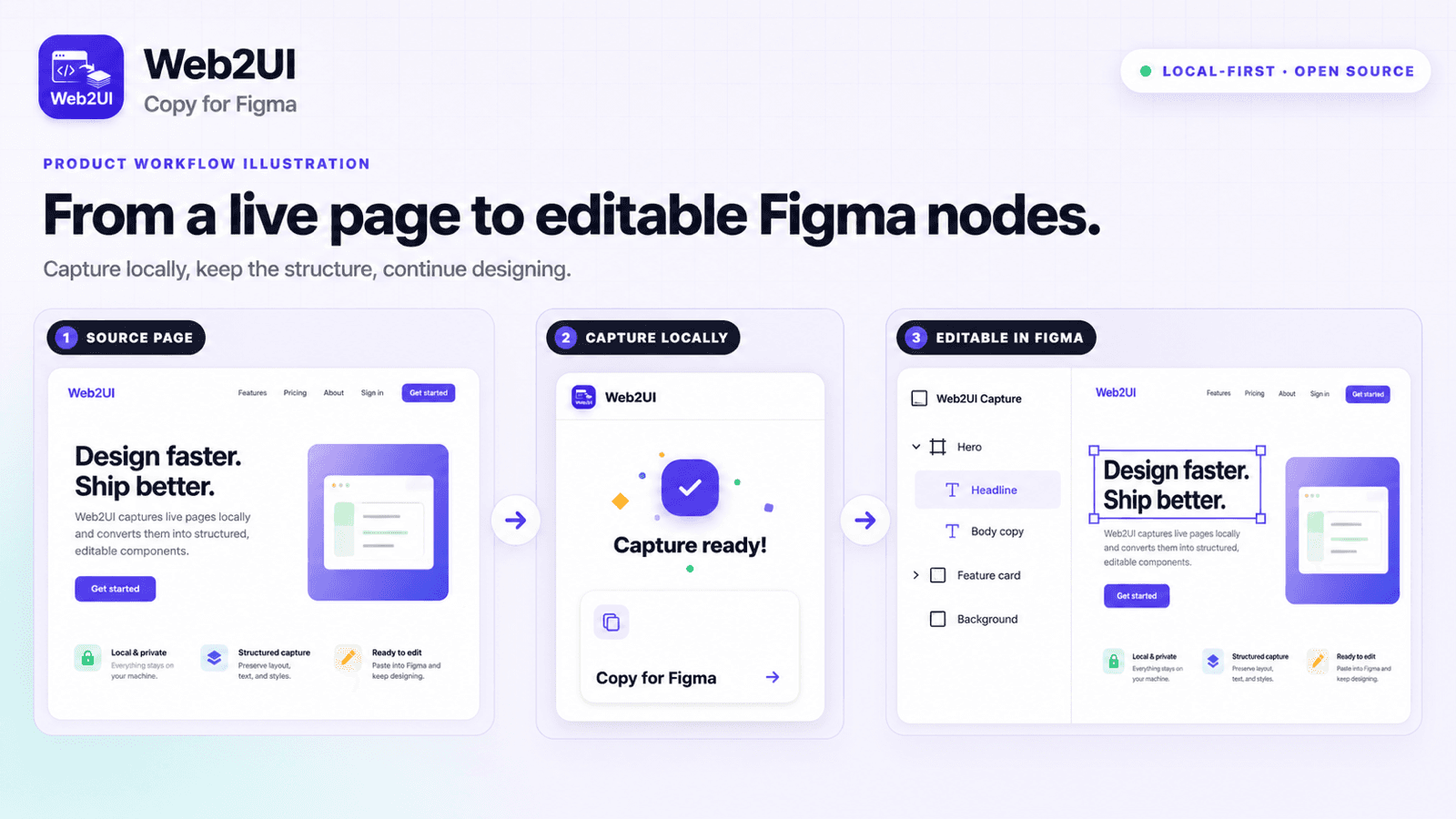
Turn public URLs, local HTML packages, and explicit browser captures into structured Figma design drafts.
 Lynavo
FOSS & FREEDOM
Lynavo is an open-source organization building practical software in public. We believe people should be able to understand, use, modify, and share the tools they rely on. Our mission is to create approachable software that gives users greater control, protects their privacy, and solves real-world problems without unnecessary complexity or lock-in.
Discover products


Turn public URLs, local HTML packages, and explicit browser captures into structured Figma design drafts.
Home › Products
Turn public URLs, local HTML packages, and explicit browser captures into structured Figma design drafts.

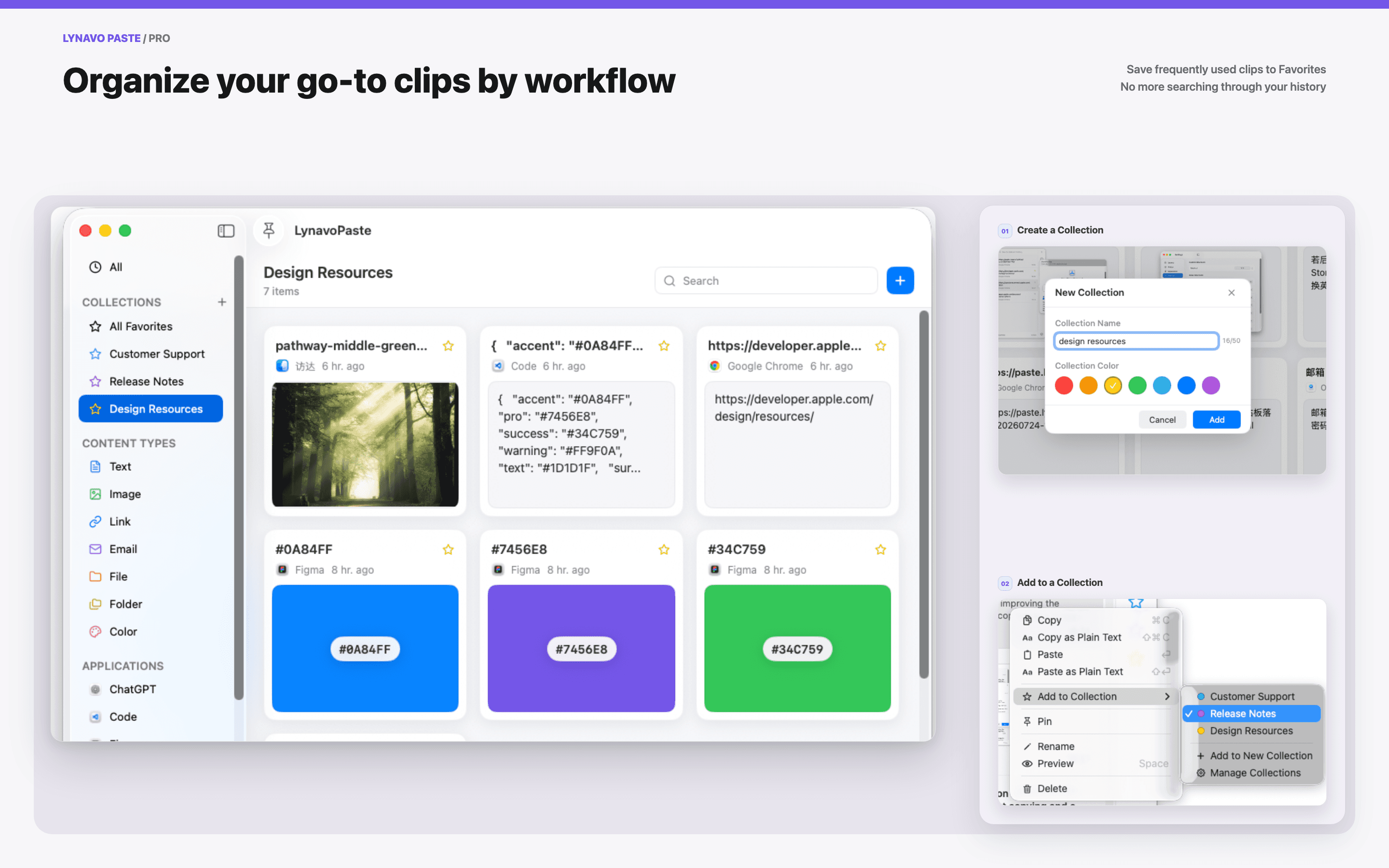
Search and reuse clipboard history for text, links, images, videos, files, and folders. Content stays on your device by default.
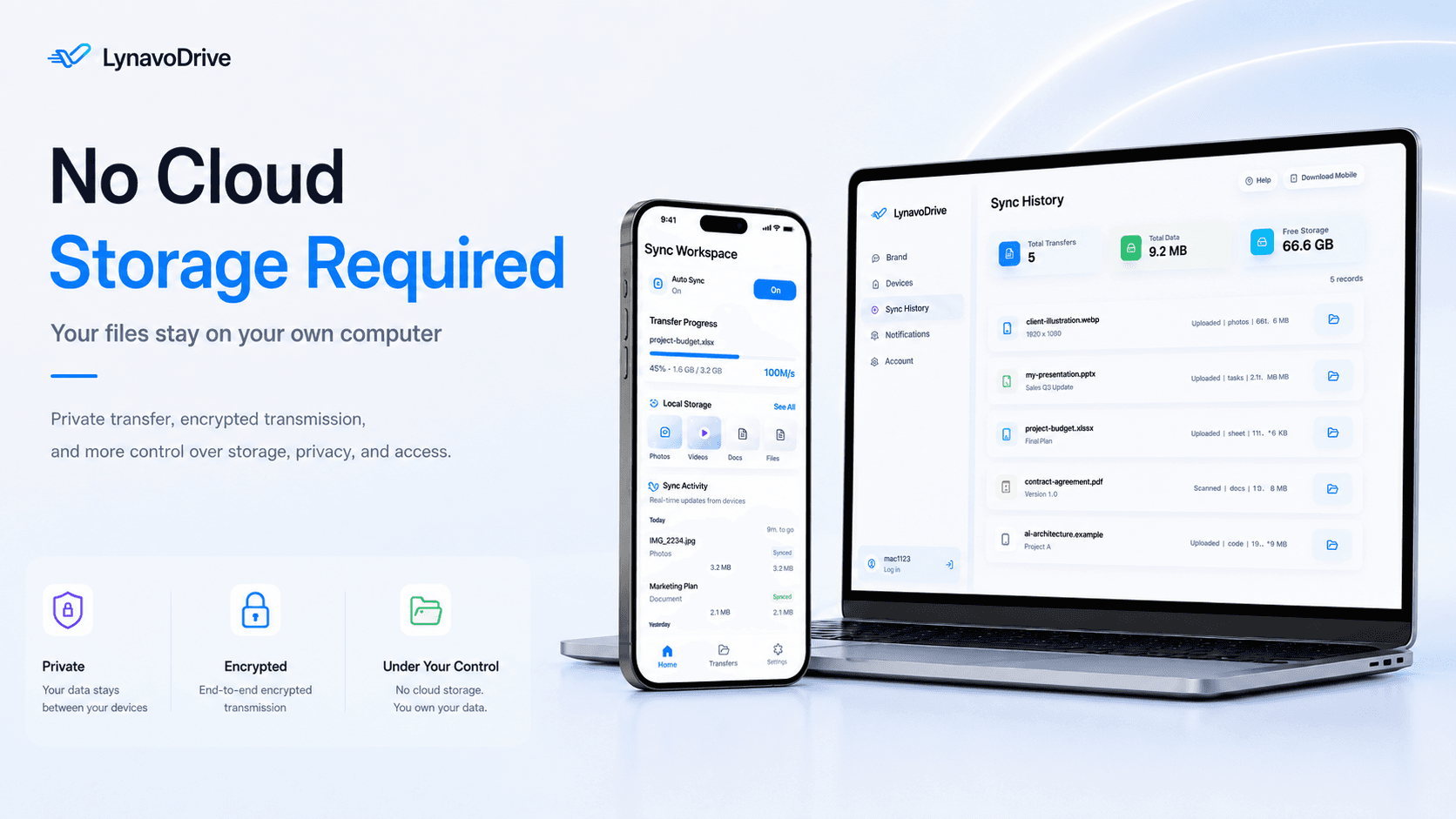
Back up phone photos to your computer and access computer files over your local network, with device and access controls.
OPEN SOURCE
Open-source availability is product-specific. Each repository documents its own public implementation and license.
Explore Lynavo on GitHubPRODUCT STATUS
Use each product site for downloads, pricing, and complete policies. Use its repository for public code and contribution paths.
ABOUT LYNAVO
Lynavo is an open-source organization building practical software in public.
We believe people should be able to understand, use, modify, and share the tools they rely on. Our mission is to create approachable software that gives users greater control, protects their privacy, and solves real-world problems without unnecessary complexity or lock-in.
Our projects are built for people across platforms, regions, and levels of technical experience.
Positioning and principles sourced from the public Lynavo GitHub organization profile.
Read the official profileOur projects are developed in public and released under open-source licenses.
People should remain in control of their software, data, and workflows.
We build tools that address real needs instead of adding complexity for its own sake.
We minimize unnecessary services, accounts, and data collection.
Good ideas and meaningful contributions can come from anyone.
PRICING
Current prices and paid features summarized from each official product website.
PRIVACY & LEGAL
Lynavo products do not share one universal data-processing statement. Product-specific storage, sync, permissions, pricing, and security details remain on each official product site.
Registered legal entity, office address, unified account, unified subscription, and Setapp availability cannot be confirmed from the reviewed public pages.
FAQ
Lynavo is an open-source organization building practical software in public. It creates approachable tools that give users greater control, protect their privacy, and solve real-world problems without unnecessary complexity or lock-in. Alongside their open-source foundations, some Lynavo products also offer optional paid features or plans for users who need additional capabilities.
Neither. Lynavo is the organization behind a collection of independent utility apps. Each app is downloaded, priced, and licensed separately. Lynavo does not plan to introduce a shared account or single subscription and instead focuses on lightweight software that can usually be used without signing in.
Most Lynavo apps require little or no account setup. Lynavo Paste can be used without a shared Lynavo account, while Web2UI requires sign-in. The LynavoDrive open-source edition requires no account. In the official LynavoDrive build, LAN photo backup works without signing in, LAN file access requires the desktop app to be signed in, and official remote access requires an account and active service.
Visit the relevant official product site. Each product site provides its current downloads, available trials, supported versions, pricing, and setup instructions.
Pricing, license types, trials, renewals, and refund terms are managed independently by each product. Review the applicable product site for the current price and purchase terms before subscribing or buying.
Platform support is product-specific. Web2UI works with the web, Chrome, and Figma workflow; Lynavo Paste supports macOS 13 and later; LynavoDrive provides Windows x64, macOS Apple Silicon and Intel, iOS, and Android downloads.
Web2UI and Lynavo Paste handle their core working data locally. Web2UI uses an online service for sign-in, but sign-in does not by itself mean that working content is stored in the cloud. LynavoDrive stores LAN backups on your own computer; its official account and remote-access features may use online coordination services. Review each product's privacy policy for its exact permissions, services, and data practices.
All Lynavo apps currently listed on this site have public GitHub repositories. The published scope and license can differ by product, so review each repository's LICENSE, README, releases, and build documentation.
Email support@lynavo.io for general Lynavo product support. For LynavoDrive-specific questions, you can also contact drive@lynavo.io.
This organization is growing. New projects will be added as they become ready for the community.
Email support@lynavo.io for general product support. LynavoDrive questions can also be sent to drive@lynavo.io.